

 PKR
PKR 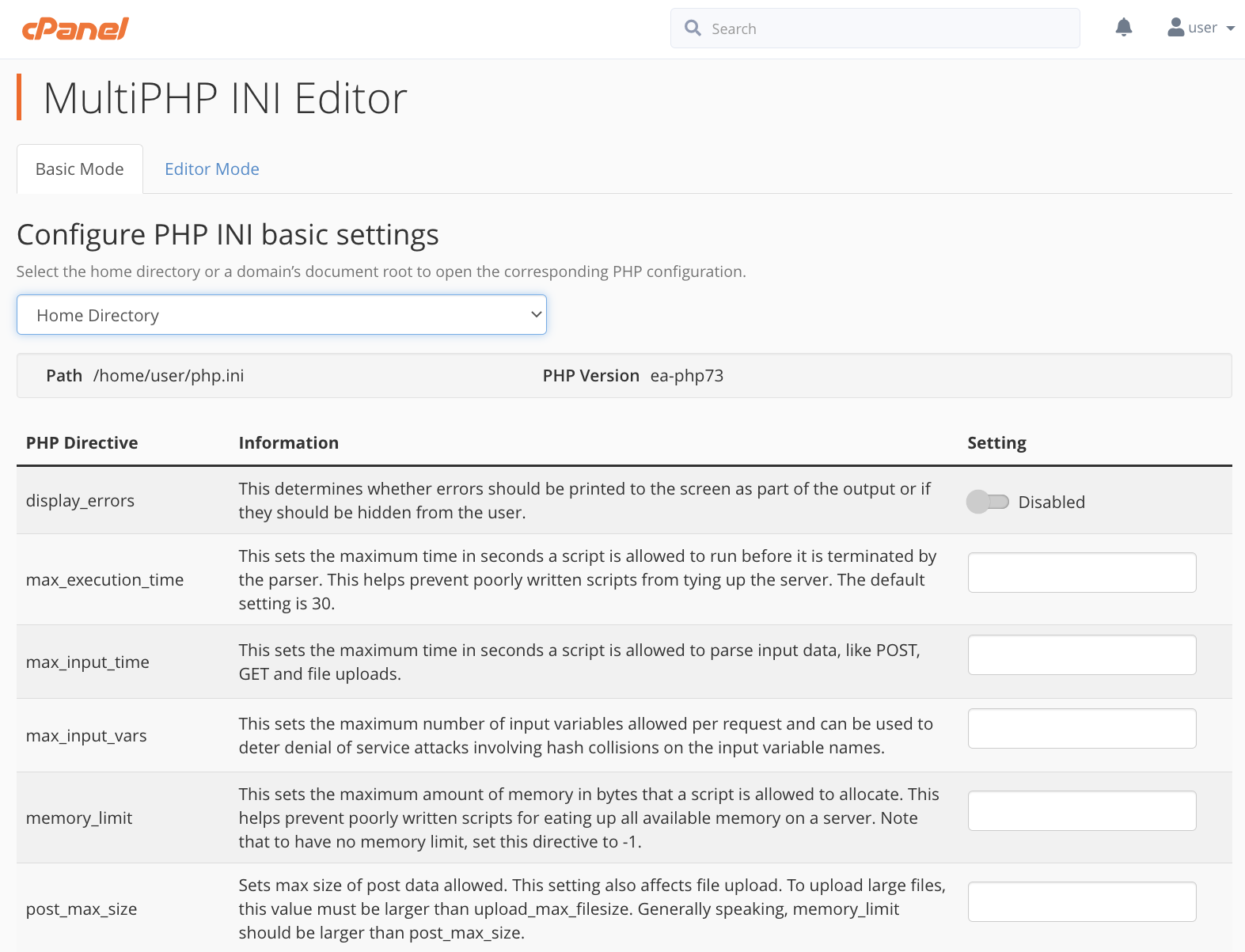
PHP is a vital component of web hosting, but its default file upload size is often too low for modern websites. If you’ve encountered an error asking you to increase the PHP max upload file size, don’t worry! This guide will show you how to adjust PHP upload limits in cPanel and WHM quickly and efficiently with HosterSale’s optimized hosting solutions.
What is “upload_max_filesize” in PHP?
The upload_max_filesize directive in PHP controls the maximum file size that can be uploaded to your web hosting server. By default, PHP sets this limit to 2MB, which is insufficient for most users. To allow larger file uploads, you must modify this value.
Other PHP Settings You Must Adjust:
post_max_size– Should be larger thanupload_max_filesizeto accommodate form submissions.memory_limit– Should be higher thanpost_max_sizeto avoid memory issues.
PHP File Size Units:
- K = Kilobytes (e.g.,
500K= 500 KB) - M = Megabytes (e.g.,
100M= 100 MB) - G = Gigabytes (e.g.,
1G= 1 GB)
How to Increase PHP Max Upload Size in cPanel (HosterSale)
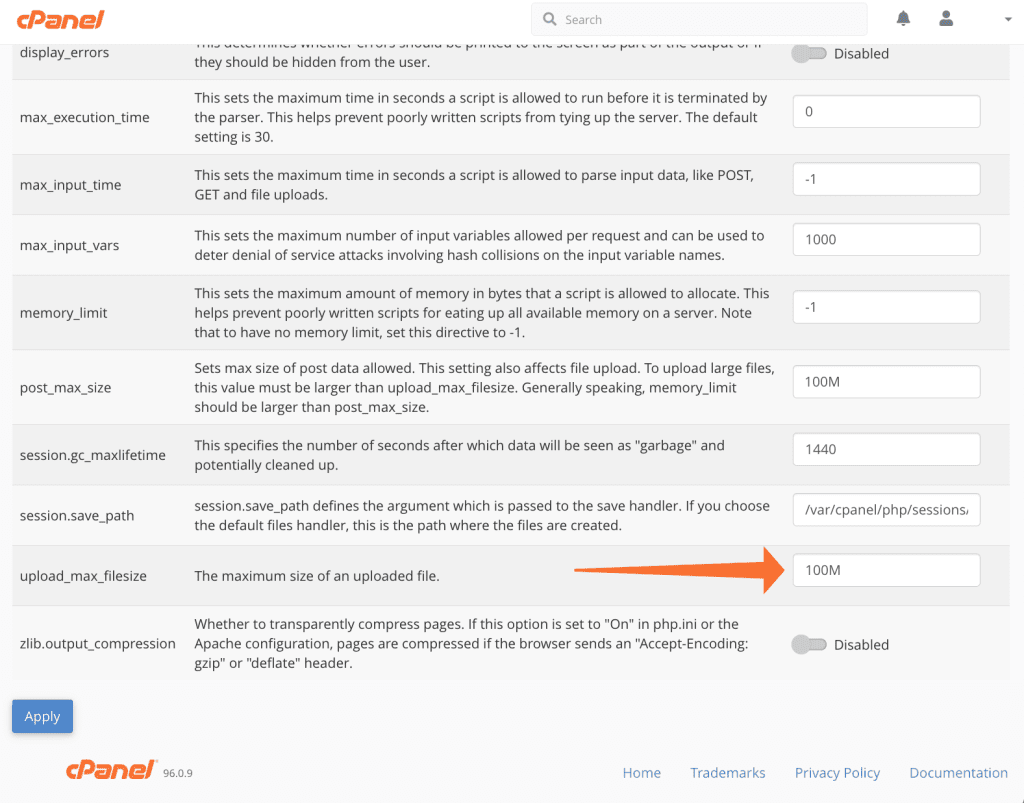
If you are using HosterSale’s cPanel hosting, adjusting the PHP upload limit is easy with the MultiPHP INI Editor:
Steps to Increase Upload Limit in cPanel:
- Log in to your HosterSale cPanel.
- Go to
MultiPHP INI Editor(under the Software section). - Select your domain or directory.
- Locate
upload_max_filesizeand increase its value. - Ensure
post_max_sizeis set to a higher value thanupload_max_filesize. - Click “Apply” to save changes.
How to Increase PHP Max Upload Size in WHM
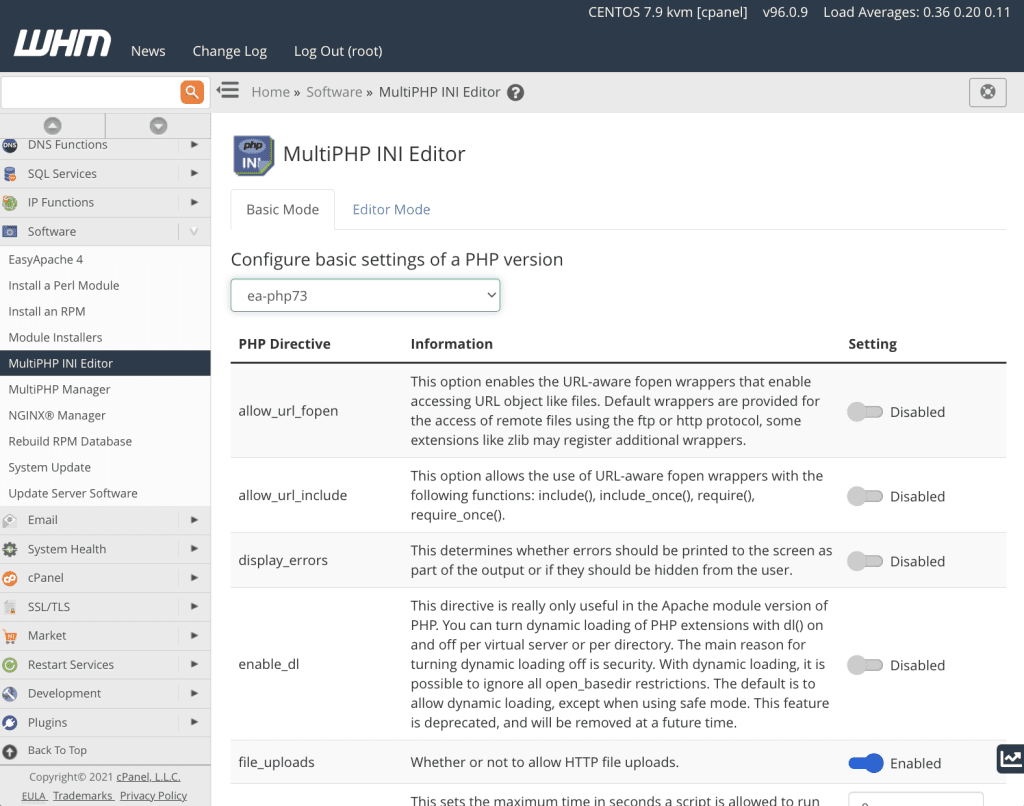
For reseller hosting, VPS, or dedicated server users managing multiple cPanel accounts, follow these steps:
Steps to Increase Upload Limit in WHM:
- Log in to WHM (
https://yourdomain.com/whm). - Go to
MultiPHP INI Editor(under Software section). - Select your PHP version.
- Find
upload_max_filesizeand increase its value. - Ensure
post_max_sizeis larger thanupload_max_filesize. - Click “Apply” to save changes.
Pro Tips:
- Modify PHP settings for each PHP version used on the server.
- Restart Apache or LiteSpeed Web Server if changes don’t take effect immediately.
Related: cPanel Zone Editor: The Complete Guide to Managing DNS Records
Why Increasing PHP Upload Limits is Essential for Web Hosting?
Increasing PHP upload limits ensures seamless functionality for WordPress hosting, WooCommerce stores, large file uploads, and high-traffic websites. With HosterSale’s optimized web hosting plans, you get full control over your PHP configurations for enhanced website performance.
Get High-Performance Web Hosting with HosterSale
At HosterSale, we provide fast, secure, and scalable hosting packed with features like:
- Free SSL Certificates for secure browsing
- LiteSpeed & CloudLinux for superior speed & stability
- 24/7 Expert Support for hosting & WordPress queries
- Unlimited Bandwidth & High Storage Plans
- Softaculous One-Click Installers for easy website setup
With HosterSale’s hosting solutions, you can ensure blazing-fast performance, top-tier security, and complete flexibility over your website settings.
Need Help?
If you face any issues while increasing PHP upload limits, HosterSale’s expert support team is available 24/7 to assist you.
🚀 Upgrade to HosterSale today and experience the best web hosting solutions!
